Step 1: Background Removal
Isolates the subject and replaces the background with compliant passport white or solid color.
Step 2: Passport Sizing & Framing
Auto-frames to exact government dimensions.
How It Works: See Real Outputs & Strict Acceptance Rules
Passport authorities and embassies enforce strict biometric rules. Below are actual demonstrations of our in-browser AI pipeline and official guidelines on what gets accepted vs. rejected.
From Casual Snapshot to Formatted Passport Photo
Background cleanly isolated and scaled to exact millimeter crown-to-chin proportions.
 Original PhotoApartment background • Natural posture • Neutral face
Unprocessed smartphone photo

ICAO Doc 9303 & Schengen 35×45mm compliant
Make Sure Your Photo Meets Basic Government Requirements
Choose plain clothing, keep your face clear, and maintain a calm neutral facial expression.

- Neutral expression, no smiling or grinning
- Mouth completely closed and jaw relaxed
- Eyes open, looking directly into the lens
- No sunglasses, clear full face visibility
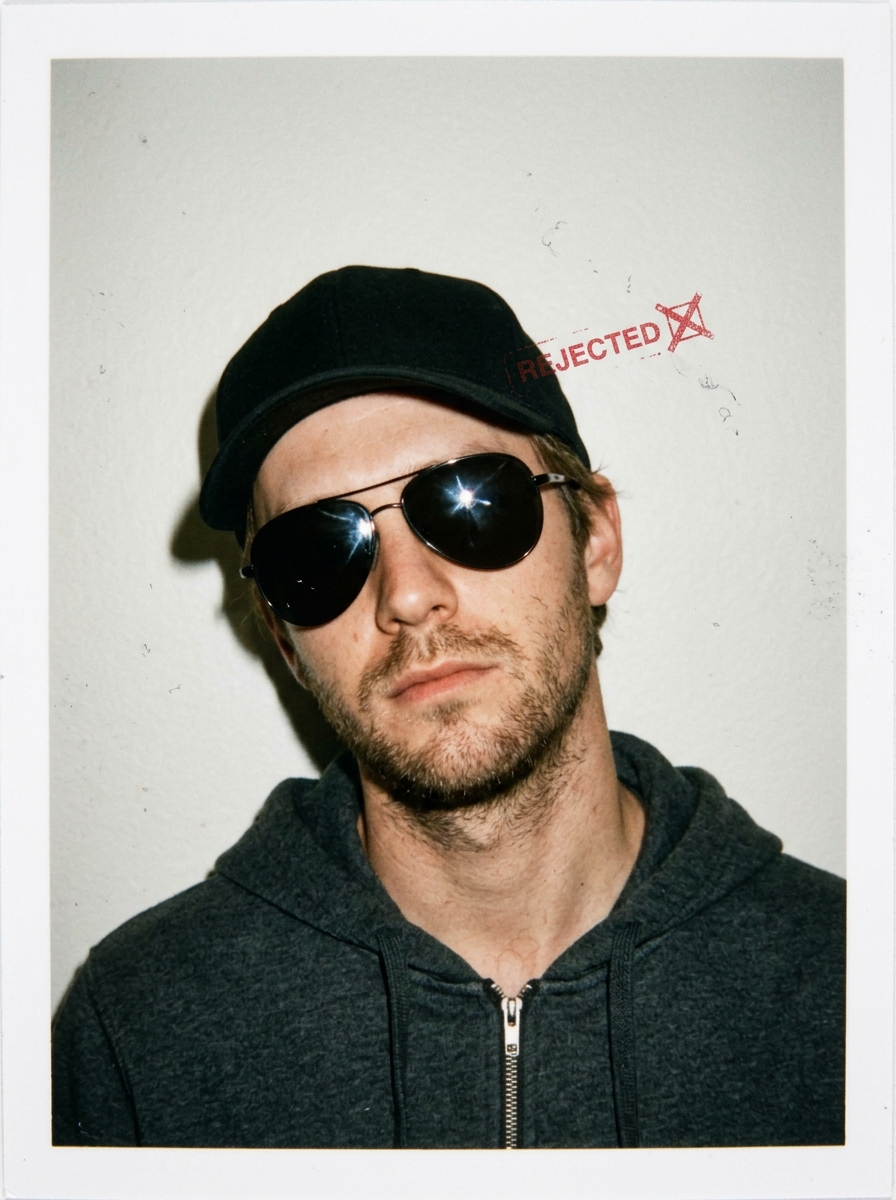
- Headwear or caps worn (only religious allowed)
- Dark sunglasses or lens reflection glare
- Hair covering eyebrows, eyes, or face edge
- Tilted head angle or off-center gaze
Photos That Will Be Accepted (Babies & Children)
Children must face forward with natural skin tones and no adult hands in frame.
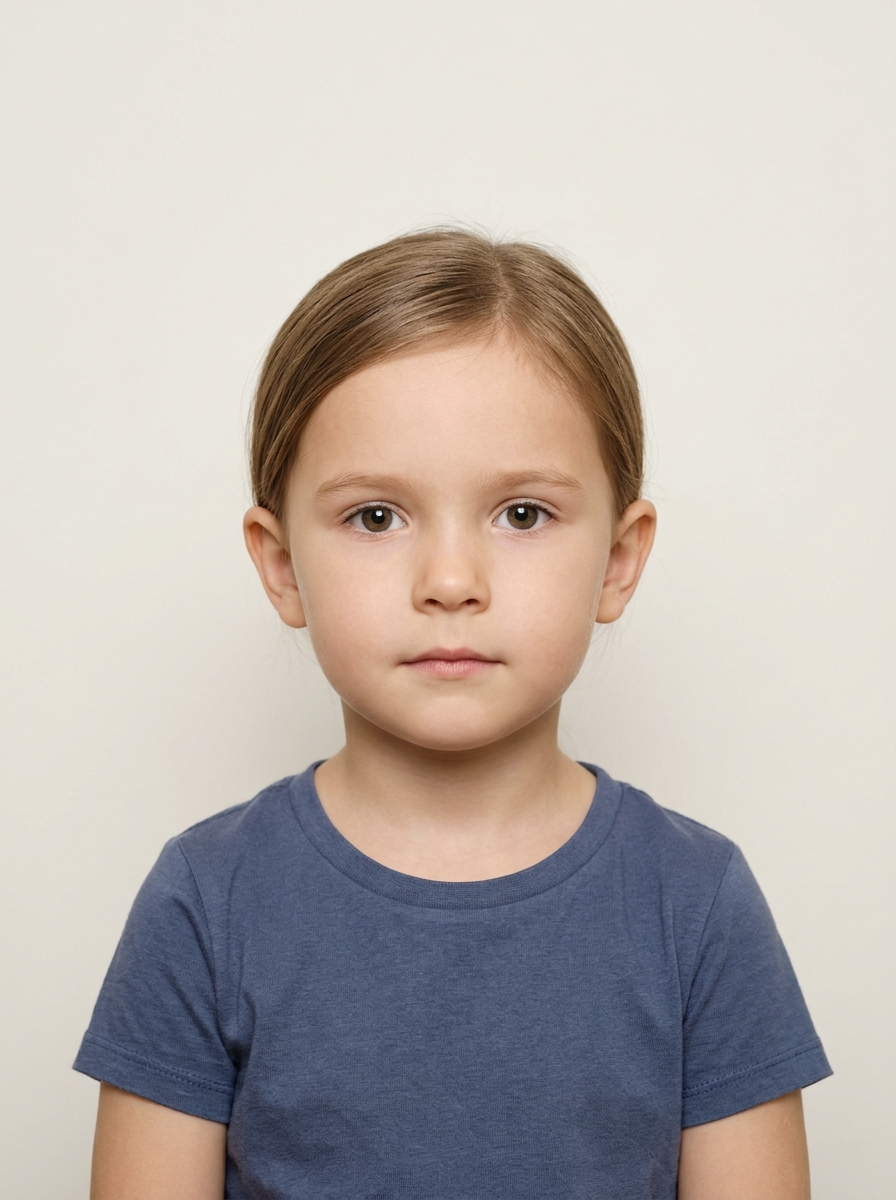
Face fully centered, mouth closed, direct forward gaze into the lens
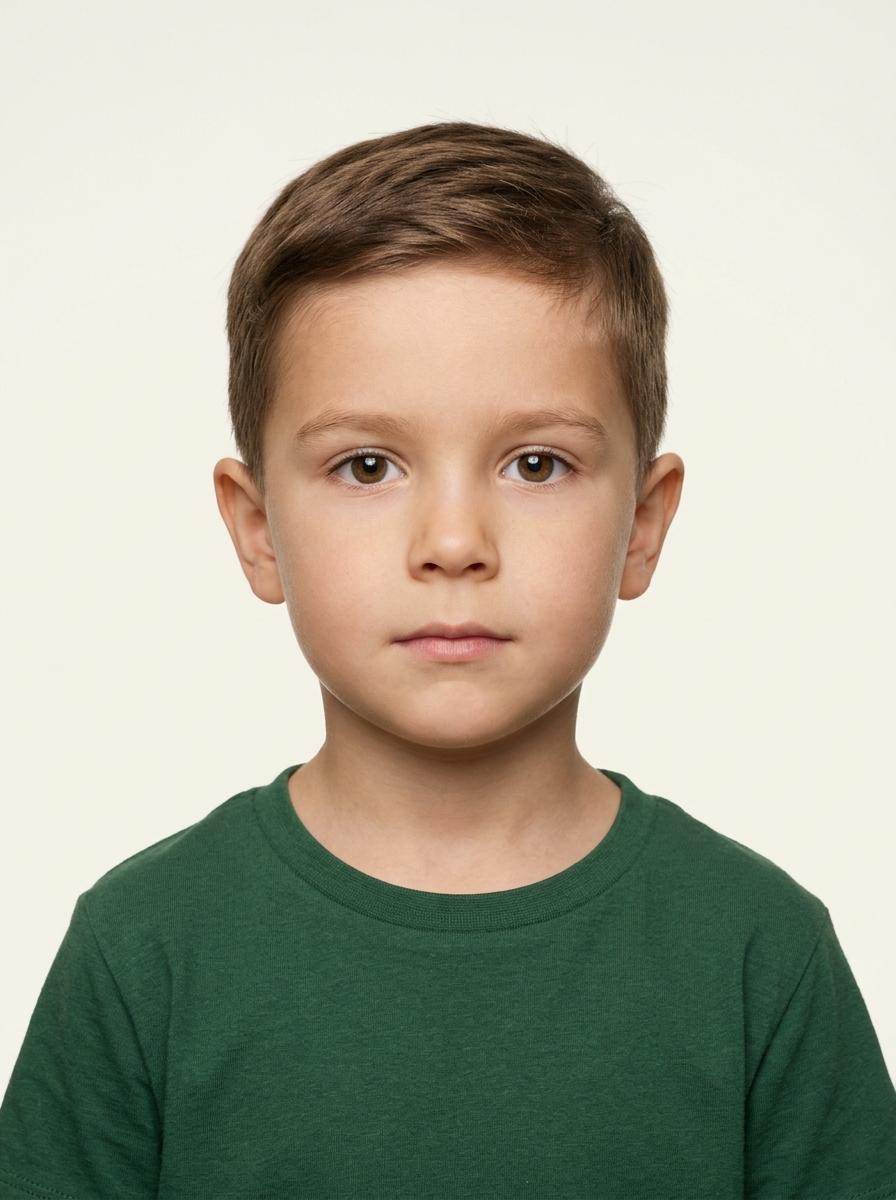
Balanced studio lighting, zero harsh shadows, natural skin tones
Photos That Will NOT Be Accepted
Common toddler and infant capture mistakes that lead to automatic rejection at passport offices.
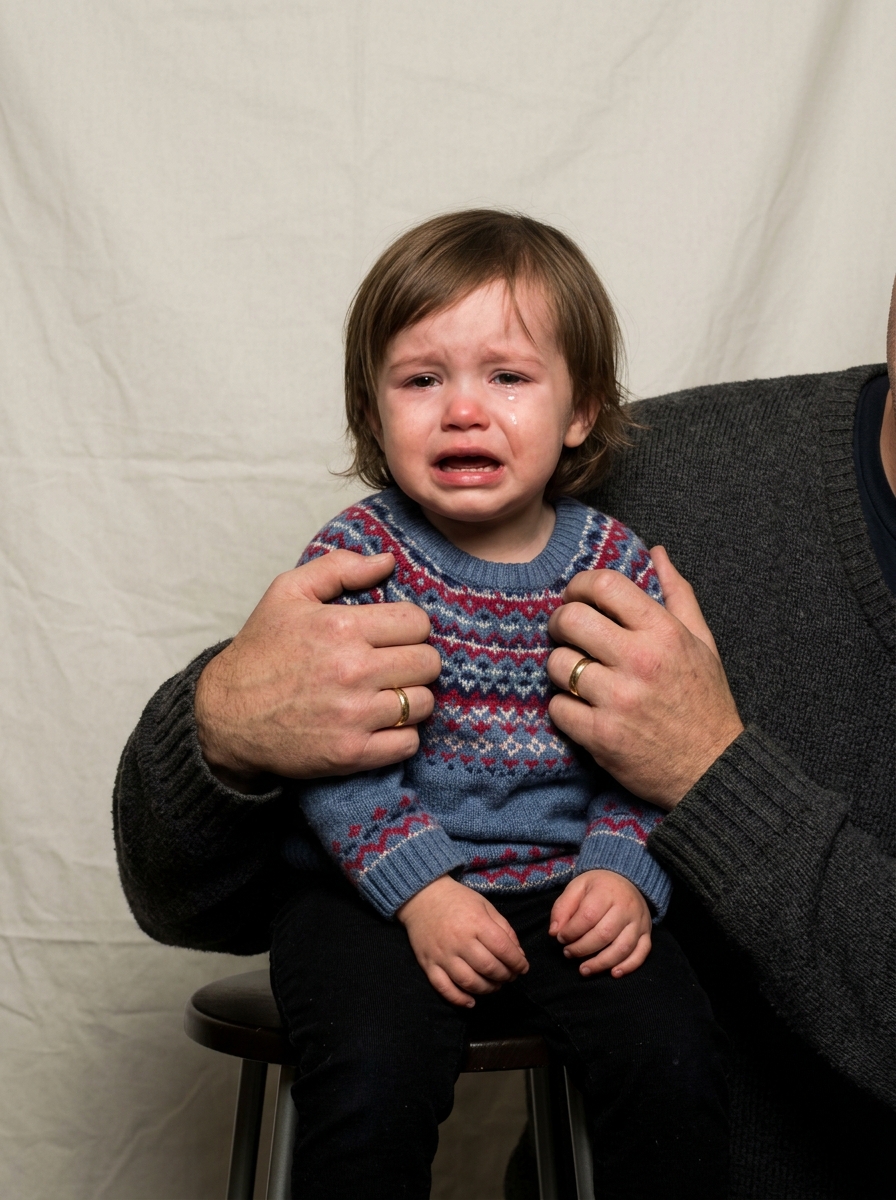
Parent's hands, arms, shoulders or supporting body visible in the frame
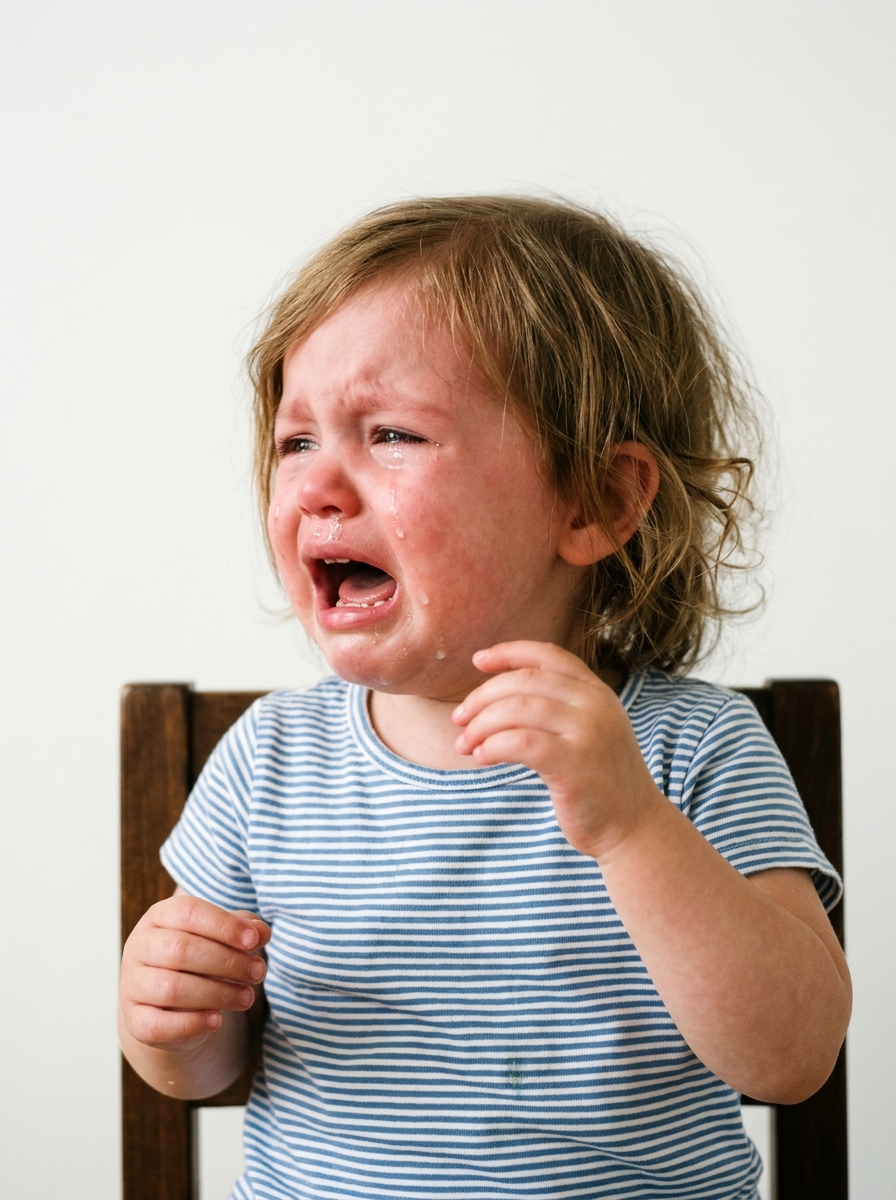
Crying, mouth wide open, distressed expression, or eyes squinting
Ready to Format Your Passport Photo in Seconds?
100% private, client-side artificial intelligence. Your photos never leave your device or touch external servers.
Biometric Passport & Visa Photo Size Standards
Official millimeter dimensions, 300 DPI pixel resolutions, and crown-to-chin face ratio mandates enforced by international consular missions.
| Country & Flag | Document Type | Dimensions (mm) | Dimensions (in) | Pixels @ 300 DPI | Head Ratio | Background |
|---|---|---|---|---|---|---|
| 🇺🇸United States | US Passport, Visa, & Green Card | 51 × 51 mm | 2 × 2 in | 600 × 600 px | 50% – 69% (25–35 mm) | Pure White (#FFFFFF) |
| 🇪🇺European Union / Schengen | Schengen Visa & EU National Passports | 35 × 45 mm | 1.38 × 1.77 in | 413 × 531 px | 70% – 80% (32–36 mm) | Light Grey or Off-White |
| 🇮🇳India | Passport Seva Kendra (PSK) | 35 × 45 mm | 1.38 × 1.77 in | 413 × 531 px | 70% – 80% (32–36 mm) | Pure White (#FFFFFF) |
| 🇮🇳India | OCI Card & Visa (2x2 inch) | 51 × 51 mm | 2 × 2 in | 602 × 602 px | 50% – 69% (25–35 mm) | Pure White (#FFFFFF) |
| 🇬🇧United Kingdom | HM Passport Office & UK Visa | 35 × 45 mm | 1.38 × 1.77 in | 413 × 531 px | 65% – 75% (29–34 mm) | Light Cream or Plain Grey |
| 🇨🇦Canada | Canadian Passport & Permanent Resident | 50 × 70 mm | 2 × 2.75 in | 591 × 827 px | 62% – 72% (31–36 mm) | Pure White or Light Tone |
| 🇦🇺Australia | Australian Passport & ImmiAccount | 35 × 45 mm | 1.38 × 1.77 in | 413 × 531 px | 71% – 78% (32–36 mm) | Plain White or Light Grey |
| 🇸🇬Singapore | ICA Passport & National Identity | 35 × 45 mm | 1.38 × 1.77 in | 413 × 531 px | 70% – 80% (25–35 mm) | Pure White (#FFFFFF) |
| 🇦🇪UAE & Dubai | Emirates ID & GDRFA Residence Visa | 40 × 60 mm | 1.57 × 2.36 in | 472 × 709 px | 70% – 80% (35–45 mm) | Pure White (#FFFFFF) |
| 🇨🇳China | Chinese Passport & Consular Visa | 33 × 48 mm | 1.3 × 1.89 in | 390 × 567 px | 60% – 70% (28–33 mm) | Pure White (#FFFFFF) |
| 🇯🇵Japan | Japanese Passport & Residence Card | 35 × 45 mm | 1.38 × 1.77 in | 413 × 531 px | 70% – 76% (32–36 mm) | Plain Off-White or Light Grey |
| 🇳🇿New Zealand | NZ Passport & Immigration Online | 35 × 45 mm | 1.38 × 1.77 in | 413 × 531 px | 70% – 80% (32–36 mm) | Plain Light Background |
Frequently Asked Questions & Government Standards
Direct, authoritative answers to international consular photo requirements, pixel formulas, baby photography, religious attire, and cost-effective printing.